Screenshots

REMcalc at work – from the main window and graphs to the formula library and the task editor. Click a screenshot to open it at full size.

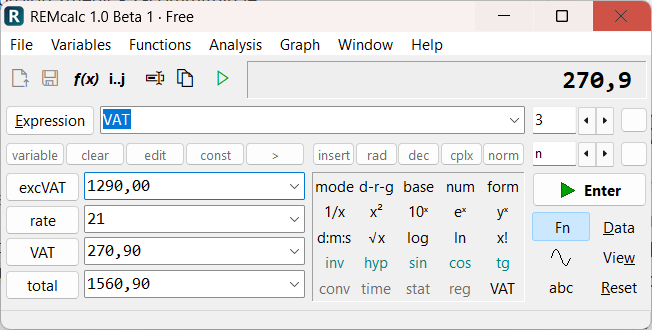
The REMcalc main window with an expression and its result
Main window. The expression on one line, variables in the fields below, the function keypad in the middle and the full-precision result on the display.
VAT calculation in four fields
VAT calculation. Enter the net price, the VAT or the total and the other fields are worked out.
A data series with a graph preview in the main window
Data series. The range 0..2*pi:pi/1000 in a variable field and Enter: 2001 values and a graph preview.
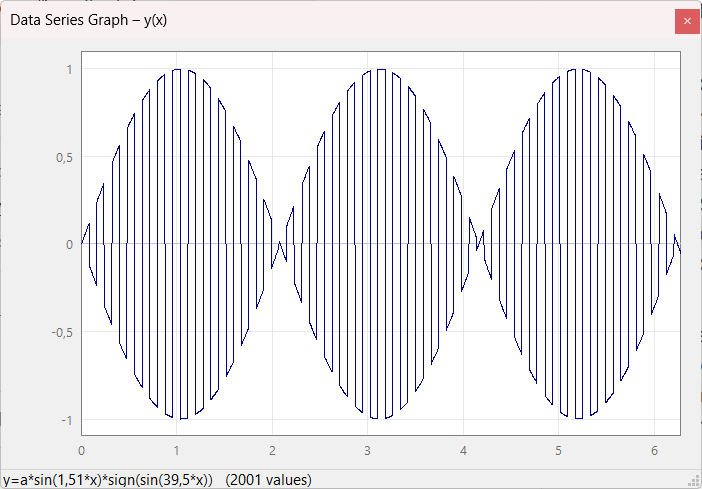
Detailed graph with axes and a grid
Detailed graph. Axes, a grid and the coordinates of the point under the mouse pointer in the status bar.
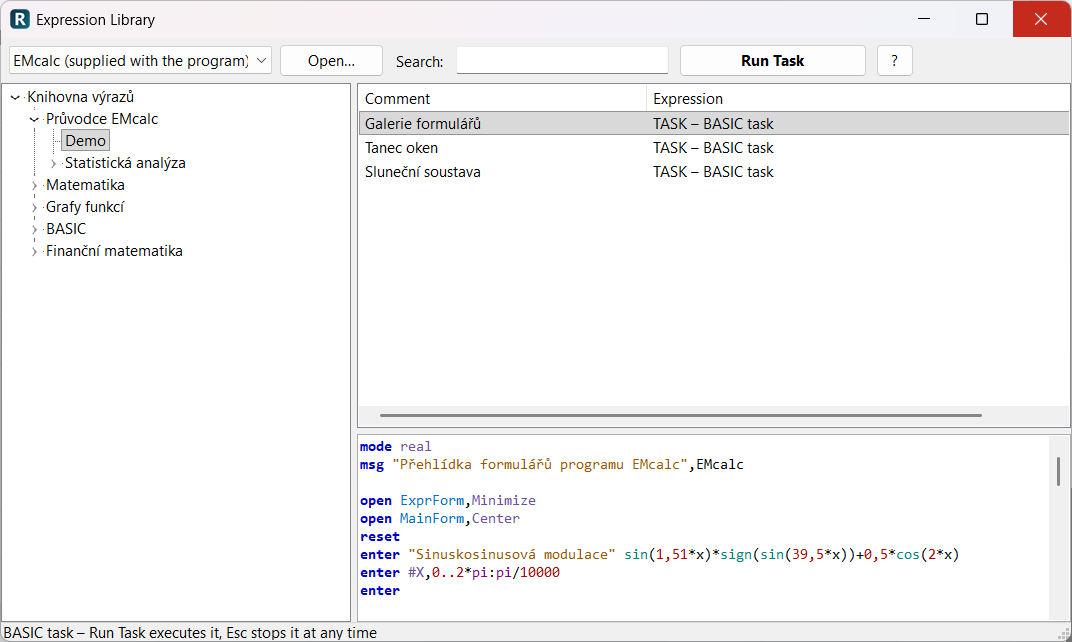
The Expression Library with a BASIC task selected
Expression Library. Ready-made formulas and BASIC tasks from the original EMcalc (library content in Czech); start a task with Run Task.
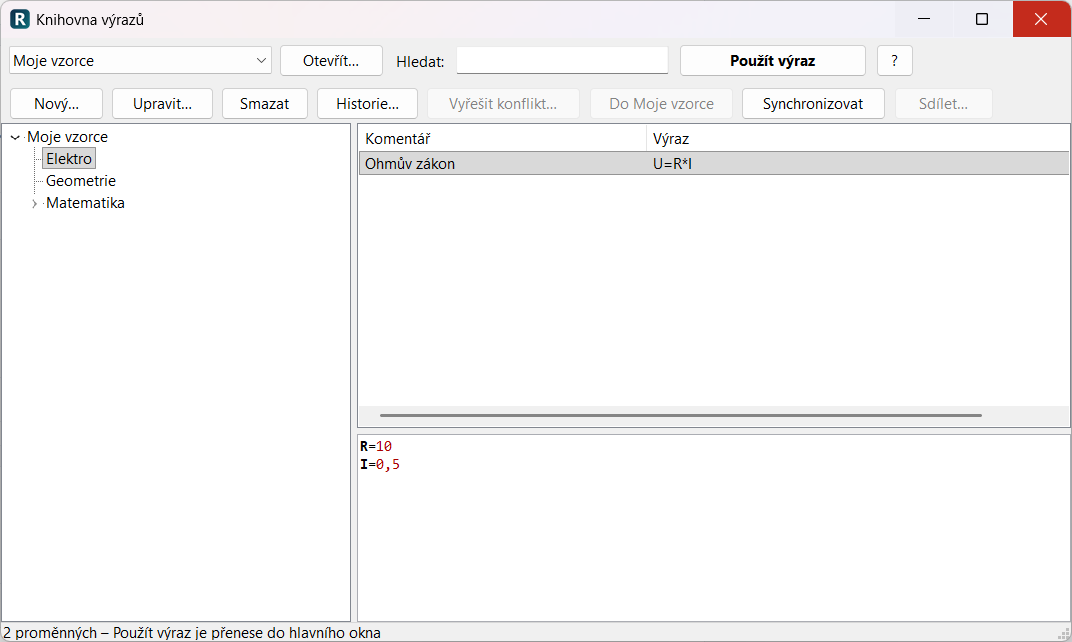
The My Formulas library (Czech interface)
My Formulas. Your own library with a change history, synchronization and sharing. Shown with the Czech interface.
Task editor with syntax colouring and code completion (Czech interface)
Task editor. BASIC syntax colouring and completion of statements and functions (Ctrl+Space). Shown with the Czech interface.
The Calculation History window
Calculation History. Expression, result and variable values; a double-click brings the calculation back to the main window.
Expression Editor with results below the lines
Expression Editor. Enter evaluates a line and writes the result below it – a notepad that calculates.

Download REMcalc Feature overview